
Turn stage video into split-by-split review.
Reshoot helps USPSA and practical shooters import a run, detect the start beep and shots, review timing, and share clean overlay videos from the iPhone.
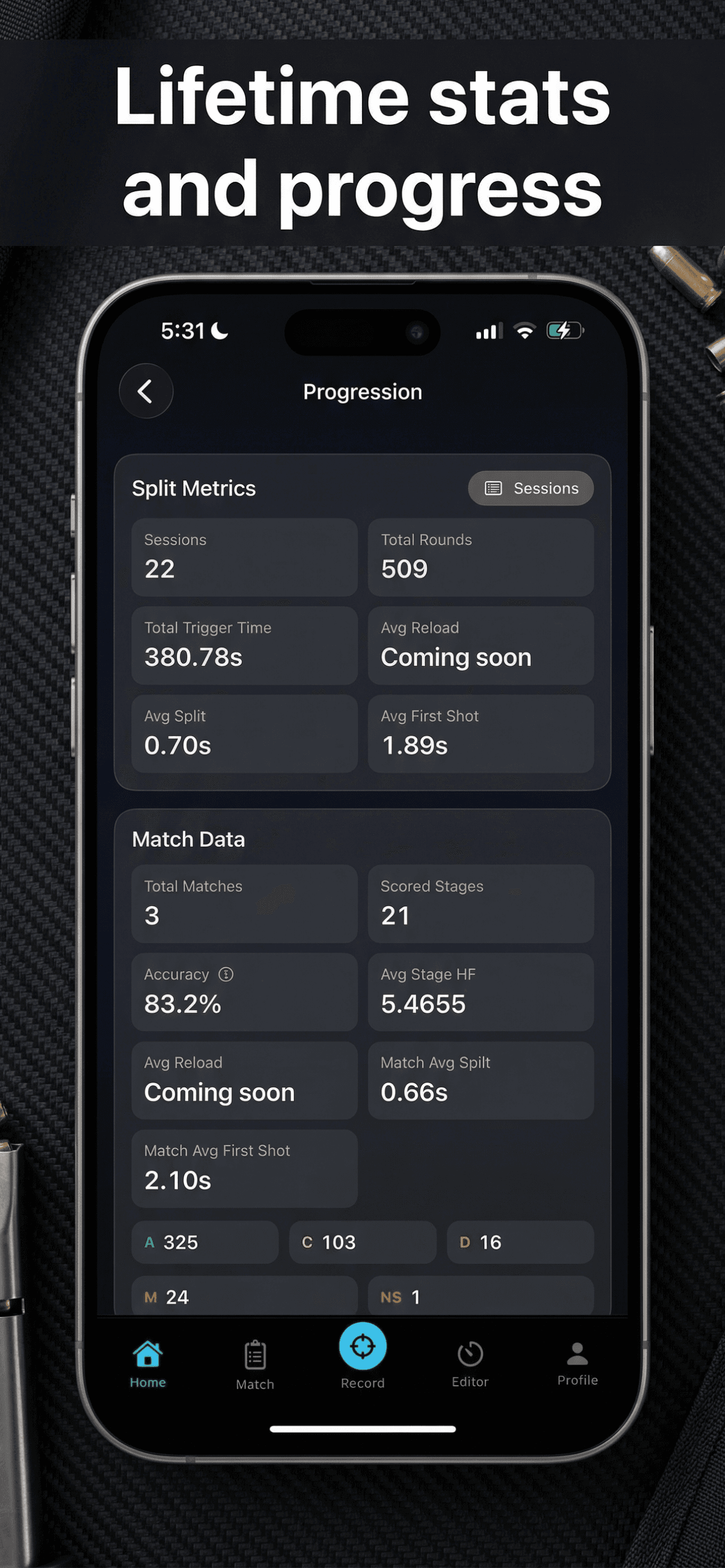
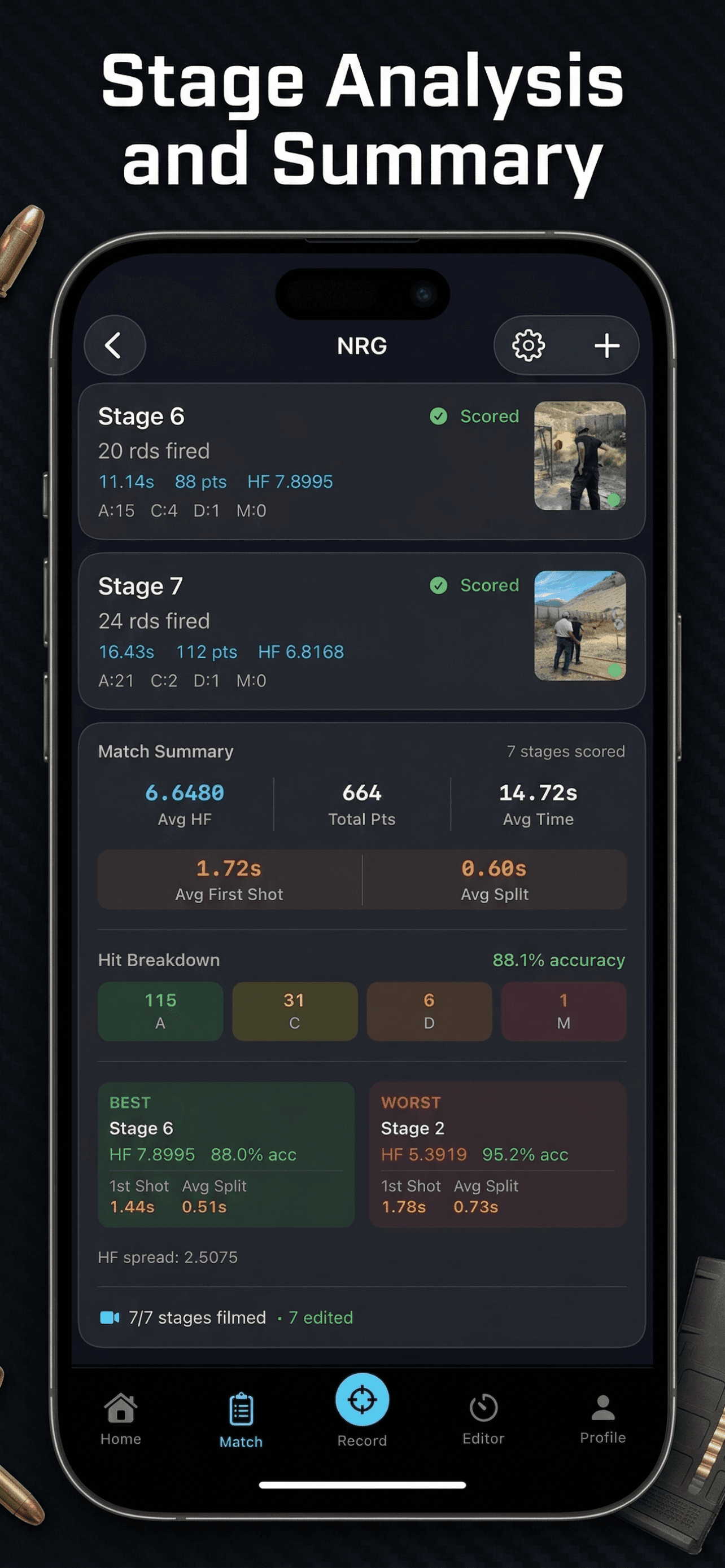
See where time is won or lost on a single stage, then use the same runs to track progress over time.
Beep + shot detection
Built around actual stage review.
Split-focused playback
Review first shot, transitions, and pace.
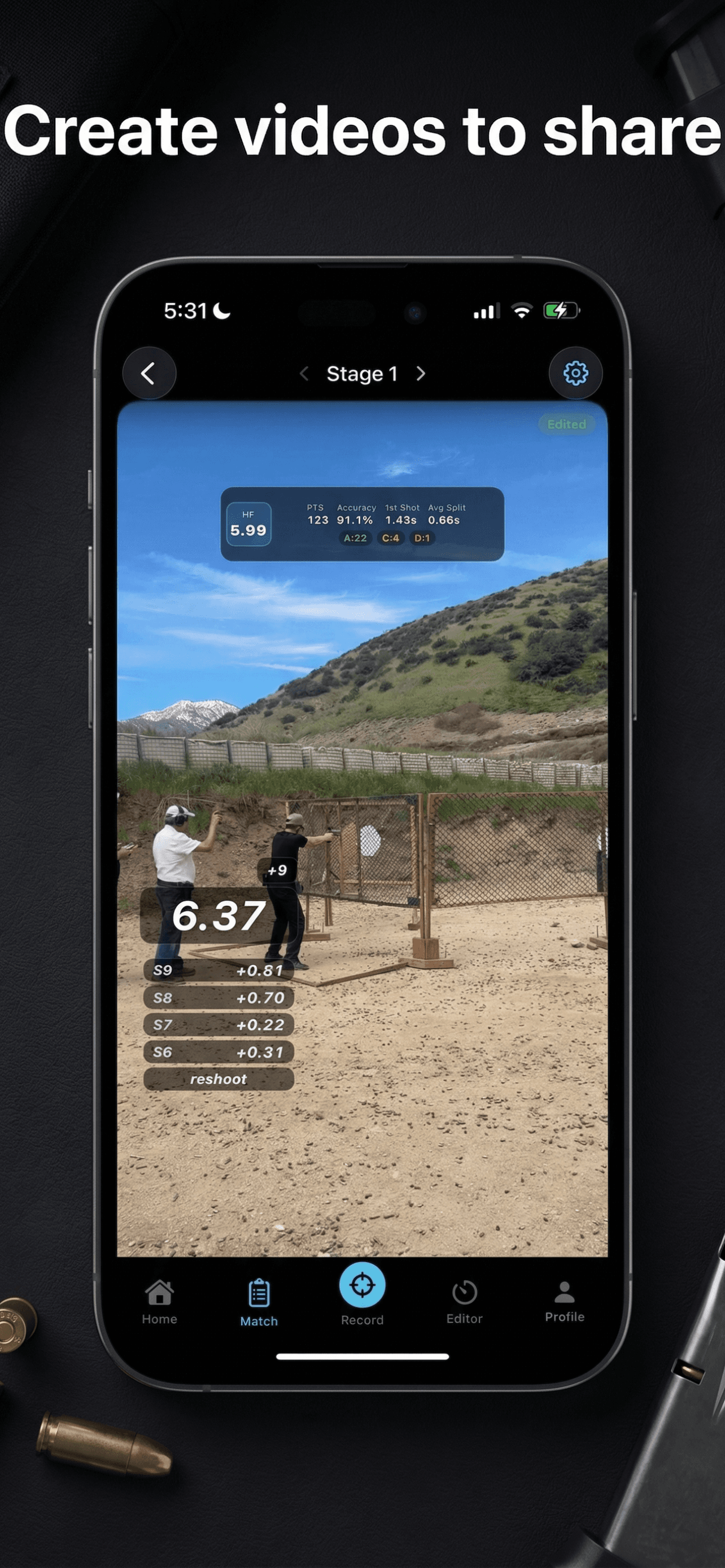
Overlay exports
Share polished timing videos fast.
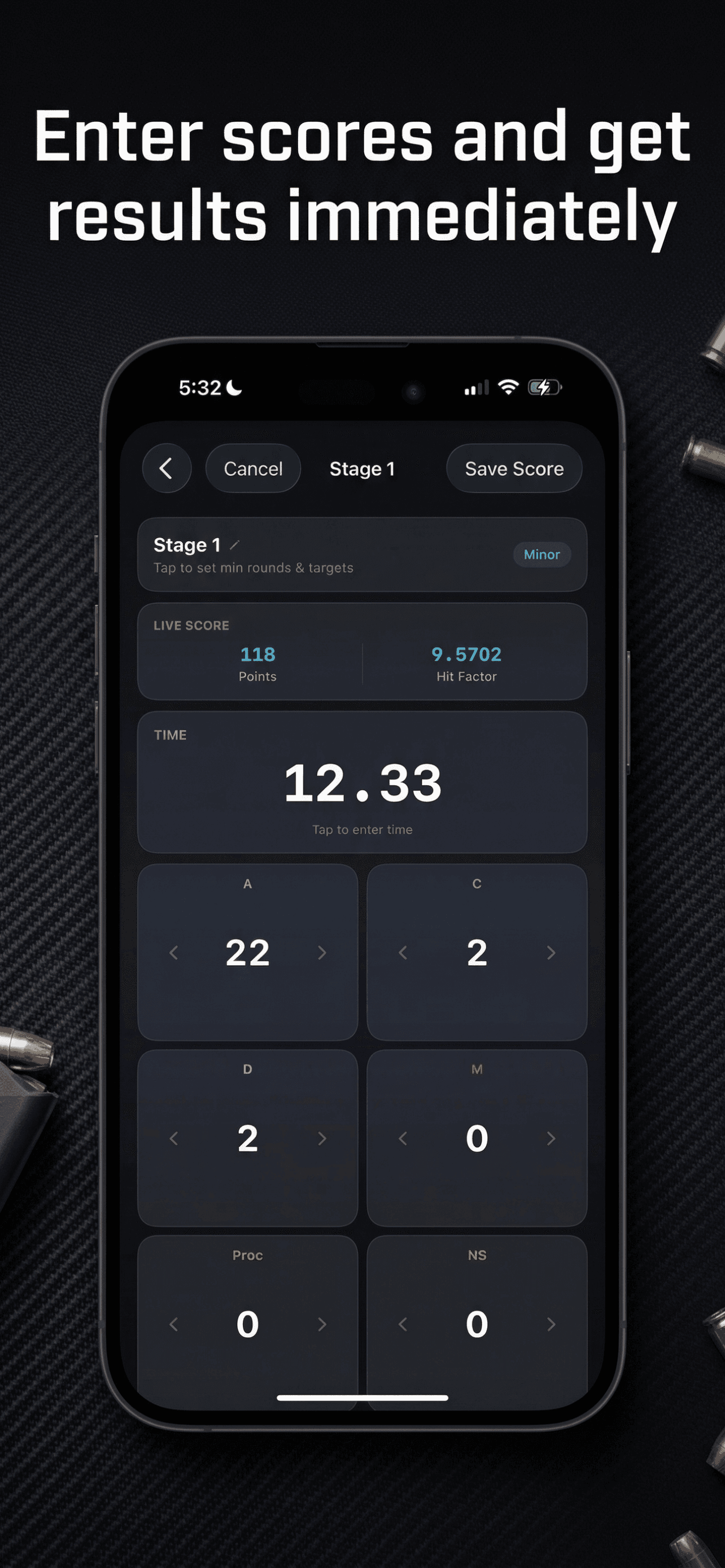
Real app screens
Run review, timing, overlays, progression.
Why Reshoot
Cool f*ckin videos. Oh and performance analysis so you can shoot better.
This was created because I wanted to see my performance analysis in real time. I didn't want to wait until two hours after the match to see how I did.
Detect beep and shots
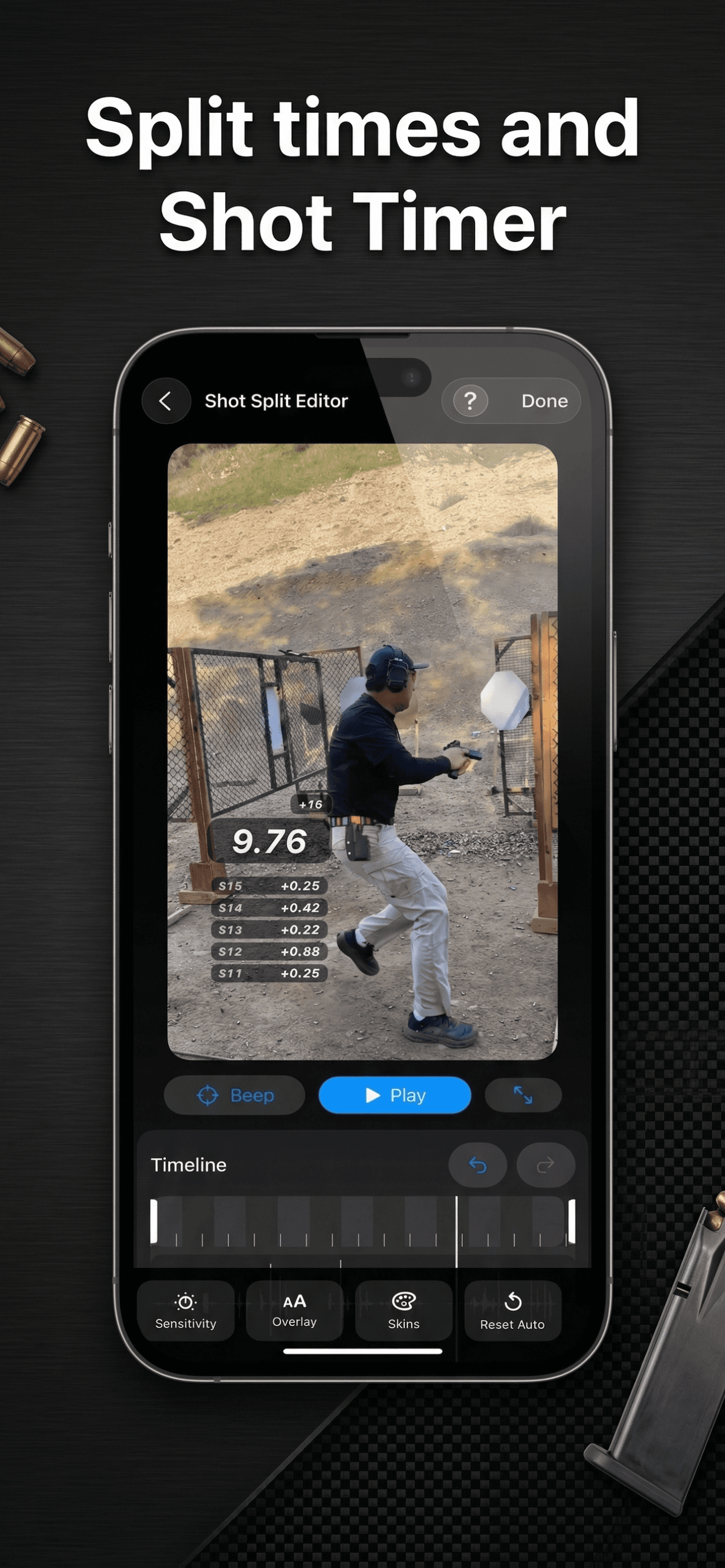
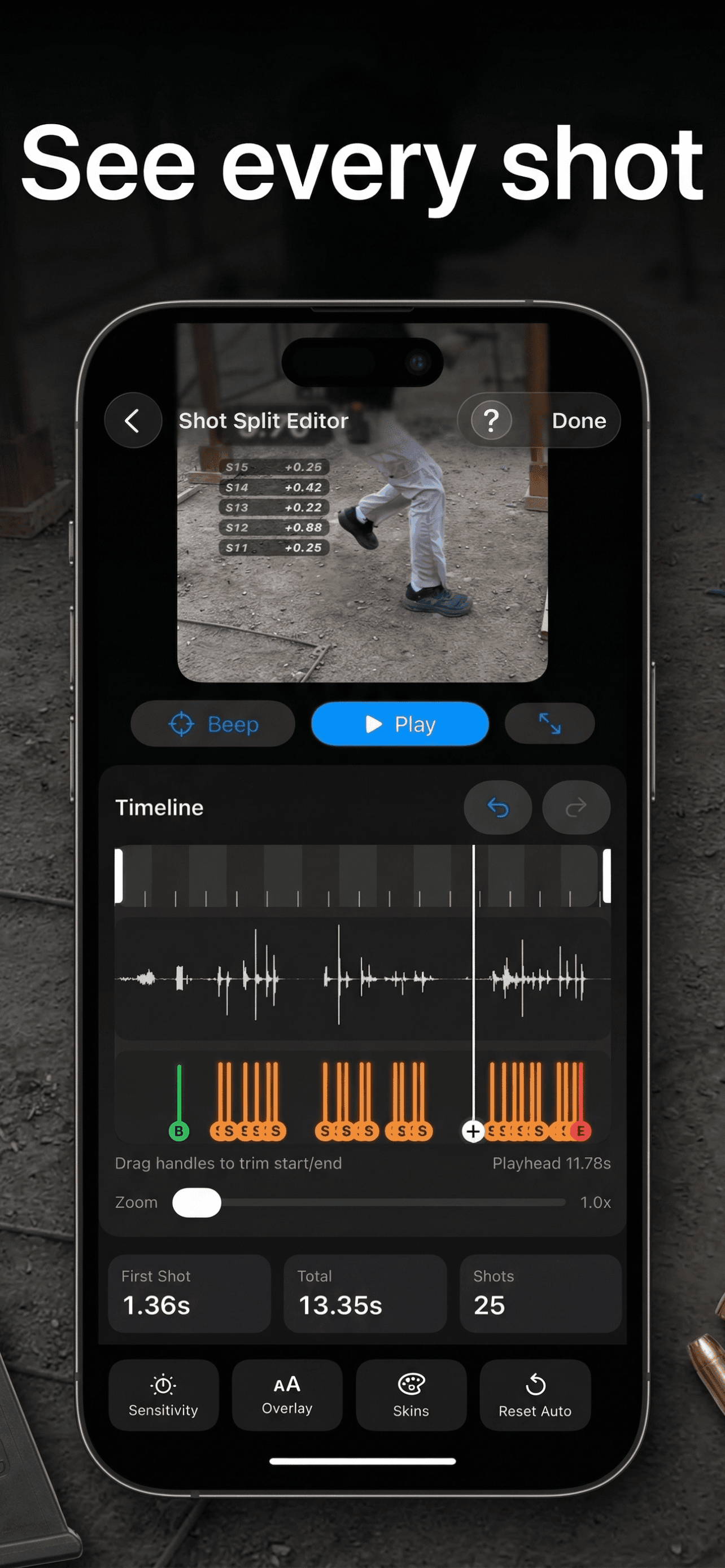
Import your run and let Reshoot mark the start beep and shot events so you can review the run against real timing.
Review splits from video
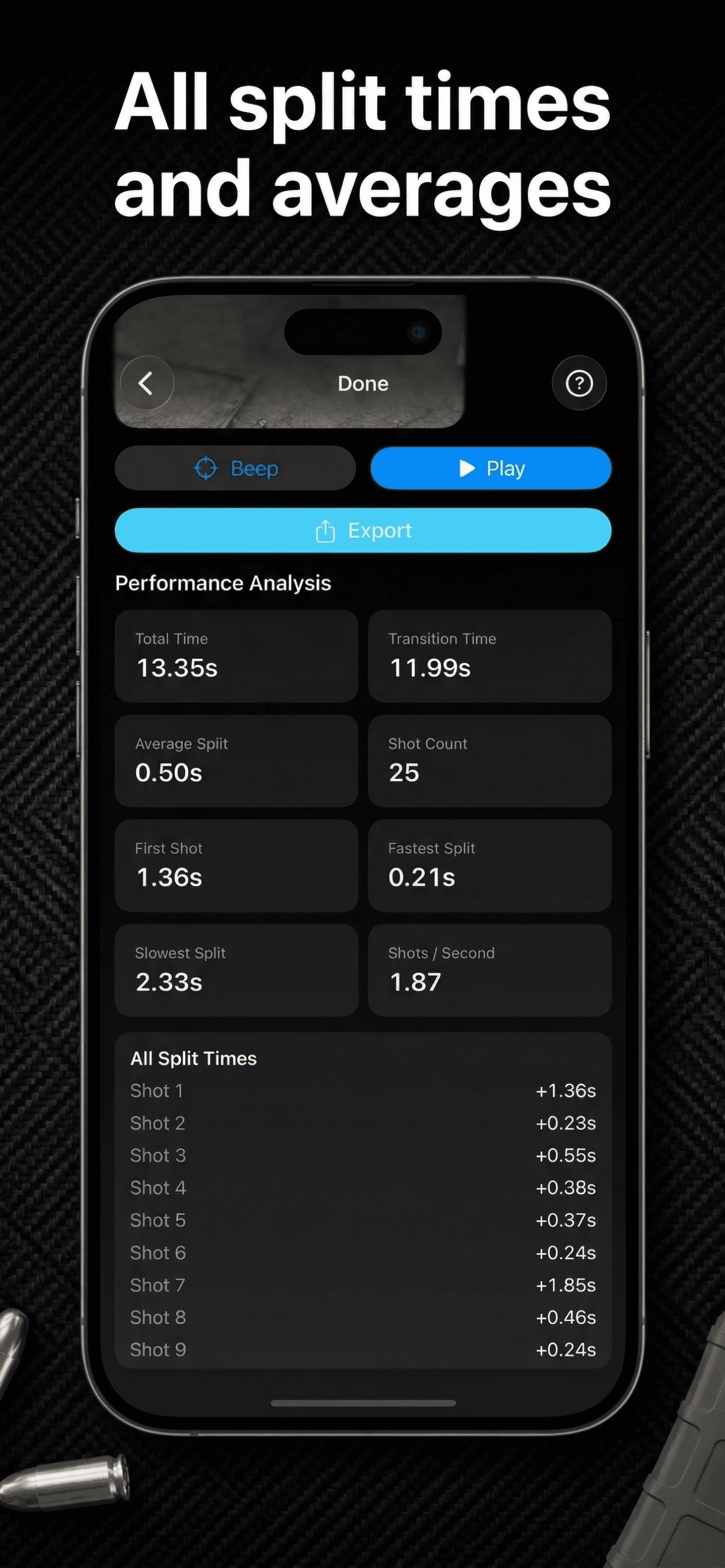
See first shot, transitions, and split timing in one place so raw footage becomes useful stage review.
Analyze stage performance
Break down where time is won or lost across a stage and review the details that matter after the run.
Share clean overlays
Export polished overlay videos that make timing readable for coaches, teammates, and social posts.
Workflow
From raw stage video to useful review.
The workflow is straightforward on purpose: bring in the run, confirm the timing, study the stage, and export something clean enough to keep or share.
01
Import your run
Bring in stage footage from your iPhone and open the run inside a review workflow built for match video.
02
Detect beep and shots
Reshoot identifies the start beep and shot timing so you can inspect the run without manual guesswork.
03
Review splits and stage timing
Check first shot, transitions, and consistency to see where time was actually gained or given away.
04
Export and share overlays
Turn the run into a clear overlay video you can keep for review or share after the stage.
Who it's for
Made for shooters who actually review their runs.
Reshoot is for practical shooters who want more than a clip in the camera roll and less clutter than a generic sports app.
USPSA and practical shooters
Built for competitors who want timing and stage review to match the way practical shooting is actually trained.
Shooters reviewing match footage
Ideal for breaking down a single run right after a stage or during post-match review when details still matter.
Competitors chasing consistency
Useful when you are trying to clean up transitions, tighten first shot timing, and make performance more repeatable.
Review the run. Keep the insight. Share the overlay.
Download Reshoot for iPhone to break down a single stage run, study your timing, and build a clearer picture of progress over time.